FormBuilder module · User guide
Forms that arrive as tickets
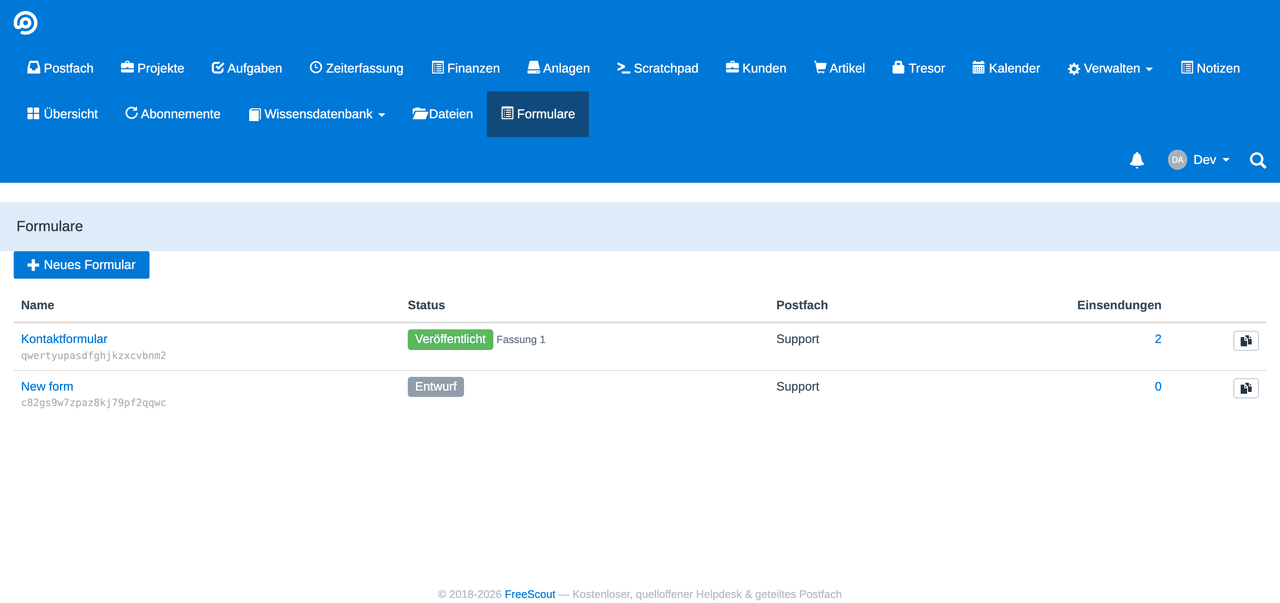
The builder lets you assemble a form, publish it at its own address or embed it in your website. Every submission becomes a ticket in the mailbox you chose — with the sender as a customer, a proper subject and the answers as a readable message.
From there everything FreeScout can do applies: assign, reply, follow up, report. A form is not an add-on, then, but another channel into your mailbox — alongside email.
Only administrators may create forms. Whoever creates one decides that strangers may write into a mailbox without signing in; that is closer to a mailbox setting than to a note. Filling one in and submitting it is then open to anyone, with no account at all.
Building a form
Under “Forms” you create a new one and pick the mailbox the tickets should land in. The builder then opens with three columns: the blocks on the left, your form in the middle, the properties of the selected field on the right.
There are sixteen block types — from a plain text field through dropdowns, checkboxes, dates and file uploads to section titles, dividers and the consent statement. You drag blocks onto the canvas, reorder them and duplicate them.
For each field you set, on the right:
- the label, the help text and the placeholder
- whether it is required
- the field name — it appears in every submission and in every condition
- validation rules, depending on the type: pattern, minimum and maximum, number and size of files
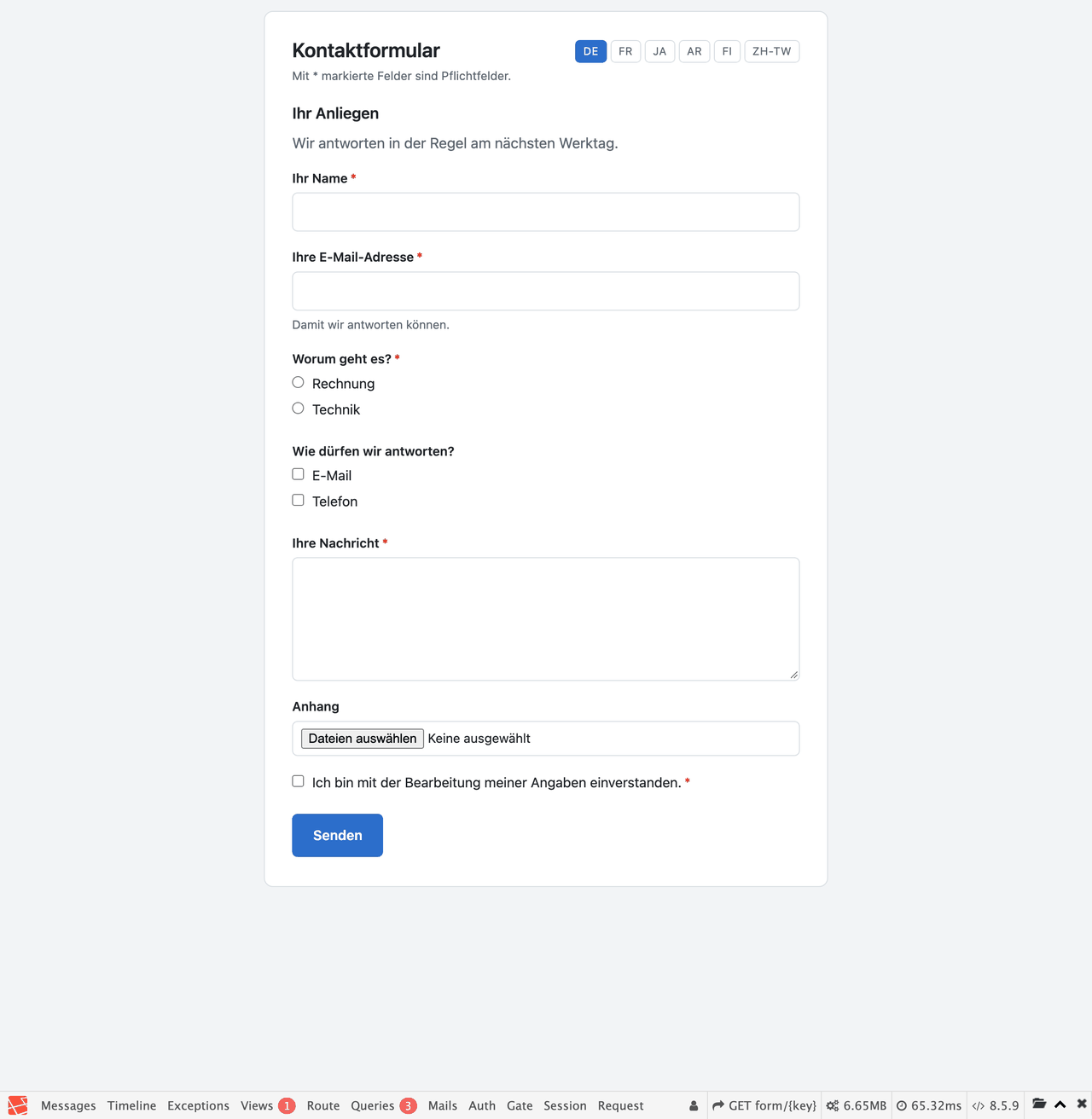
The preview shows the form exactly as a visitor sees it — isolated, so FreeScout's own styles cannot bleed into it.

Connecting a field to the ticket
In the “Ticket” tab you decide which field takes which role in the ticket:
| Role | What it becomes |
|---|---|
| Subject | the subject of the ticket |
| the customer's address | |
| Name | the customer's first and last name |
Without a mapping the subject falls back to the name of the form, and a ticket without an assigned customer is created. That is allowed — a report form needs no address.
You can also add routing rules: depending on an answer, the submission lands in a different mailbox. That way “complaint” goes somewhere other than “general question”.
Conditional fields
“Show the ‘order number’ field when ‘request’ is set to ‘complaint’.” You assemble rules like this on the field itself. They take effect at both ends: in the visitor's browser and again on the server.
The second part is the one that counts. A field that was hidden is discarded instead of moving unchecked into the ticket — otherwise the form could be bypassed by disabling the rule in the browser.
Conditions may only point at fields that come before them. That is not a restriction for convenience: two fields hiding each other would never get an answer.
Publishing: the hosted page
A form has a draft and published versions. While you work on the draft, nothing changes for visitors. Only “Publish” makes the new version visible.
After that the form is reachable at its own address — with its own styling and, for multilingual forms, a language picker. That page also works without JavaScript: a form that only submits with scripting enabled loses submissions.
Embedding it in your own website
The “Embedding” tab holds a two-line snippet. You paste it into your page and the form appears there. It adopts the fonts and colours of the host page, so it does not look like a foreign body.
Before that, enter the permitted websites there — an allow list per form. Without an entry the server refuses to be embedded. That is deliberate: a form that any site may embed is an open door into your mailbox.
Enter the addresses exactly, including the protocol: to a browser, https://www.example.com and https://example.com are two different sites.
What happens to a submission
The server checks the answers, accepts the files and puts the submission in the queue. The ticket is created there, not inside the visitor's request — so they are not left waiting for a mailbox that happens to be slow.
A submission becomes at most one ticket, even if the job is retried. If something fails, the submission stays and states the reason in plain words.
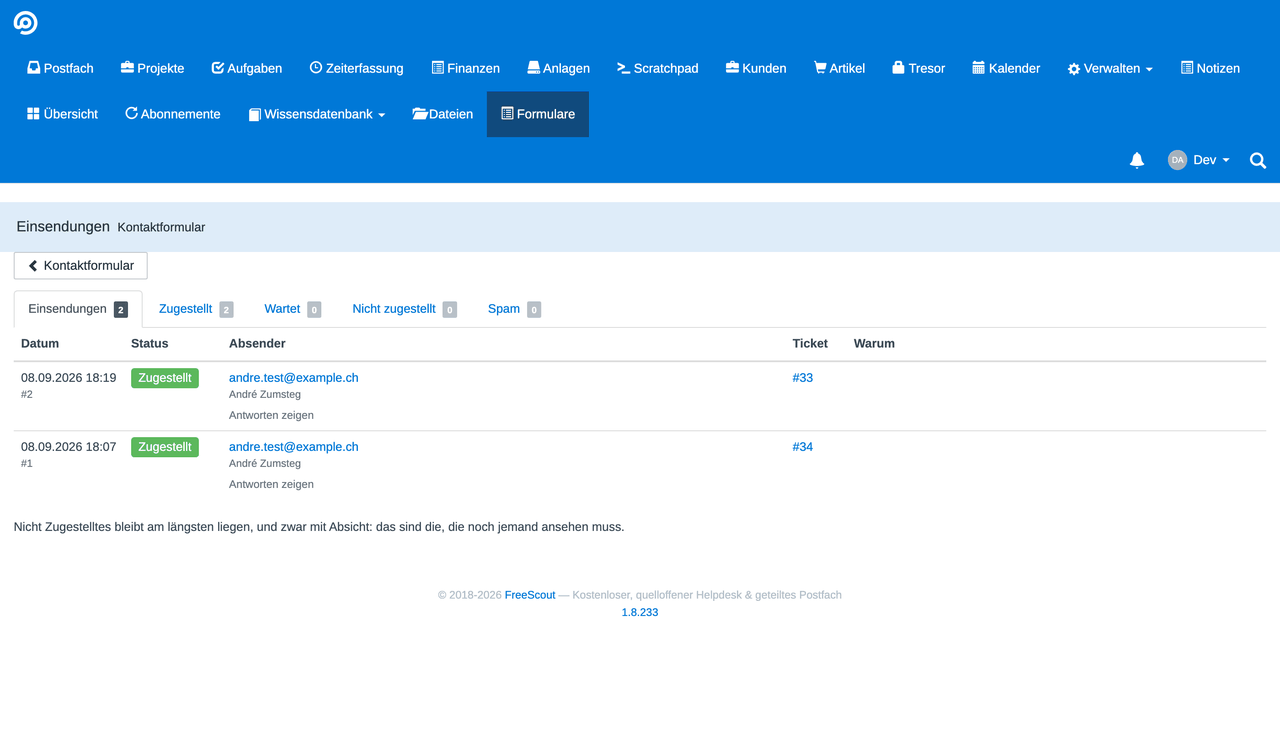
Under “Submissions” you see, per form, every submission with its state: delivered, in progress, rated as spam or failed. Answers unfold, a link leads straight to the ticket, and “retry” brings a failed one back.
The module also collects stranded submissions by itself. A lost message therefore does not depend on someone going to look.
Spam
A public form gets found — by people and by robots. In the module settings you set the hurdles:
- an invisible honeypot that only a robot fills in
- a minimum time between opening and submitting
- a rate limit per connection and hour
- optionally Turnstile or hCaptcha
What matters is what happens to a suspicion: the submission is marked, not discarded. It arrives as a spam ticket in the mailbox, where you can bring it back. A filter that deletes silently will eventually cost you a real enquiry — and nobody will notice.
Only the rate limit actually refuses, asking the visitor to try again later. It protects the server, not the mailbox.
The copy for the sender
Whoever submits a form wants to know what they sent. On request they receive a copy. Three settings:
| Setting | What happens |
|---|---|
| Off | no copy — the default |
| Immediately | the copy goes out straight away |
| After confirmation | a confirmation request first, the copy only after the click |
The safe route is confirmation. Nobody has verified that address: whoever enters someone else's would have your mailbox send mail to an uninvolved person. With double opt-in only a request with fixed wording goes out first, containing not one word written by the sender.
The subject of the copy is fixed and never comes from the form — otherwise your mailbox would be the sender of a message written by a stranger. A submission rated as spam gets no copy, the same submission never gets two, and at most three copies per address go out in an hour.
A confirmation link is valid for three days. After that it triggers nothing.
Multilingual forms
A form can be maintained in several languages. In the builder you switch the edited language at the top right and write labels, help texts and the consent statement per language — one switch instead of a wall of fields.
The visitor picks the language on the hosted page; otherwise their browser language decides. If a text is missing in their language, the one from the main language appears instead of a gap.
The module's own interface is translated into all 31 languages FreeScout speaks. Arabic, Hebrew and Persian run from right to left.
Files and retention
On the file block you set how many files and how large. Which file types are permitted at all is set in the module settings; FreeScout's own block list applies on top and cannot be circumvented.
Accepted files hang on the ticket message like any other attachment.
The submissions themselves are subject to retention periods per state — 90 days for delivered, 14 for spam and a year for failed, by default. Without such periods a form mailbox turns into a data store.
Worth knowing
The consent text is stored with the submission
Not “consented: yes”, but the wording that was consented to, together with the version of the form. If you change the text later, old submissions keep the old one. That is the whole point of a consent: it is worth only as much as the record of what it referred to.
The IP is not stored in the clear
Only a derived value is kept from the sender's connection, bound to your installation's key. It is enough for the rate limit but cannot be turned back into an address.
The field name is more than a label
It appears in every stored submission and in every condition. Changing it afterwards carries the conditions along — but submissions already stored keep the old name. So assign it early and then leave it alone.
Check the mailbox's auto reply
FreeScout has an auto reply of its own per mailbox. If it is on and you also switch on the copy, the sender receives two messages. The builder points this out when both meet.
Not getting anywhere with this? Support