Images and videos
It doesn't run without another module
To use it you also need Calendar module for FreeScout. You will find it in our catalogue.
Technical
- Current version
- 3.0.0
- Requires FreeScout
- from 1.8.233
- Requires modules
- Calendar module for FreeScout
- Can be extended with
-
HR, Bexio module for FreeScout
The module runs fine without them.
- Licence of the code
- AGPL-3.0-or-later
- Guide
- Read the guide
- Changelog
- All versions
- Languages
- English, Arabic, Catalan, Chinese (Simplified), Chinese (Traditional), Croatian, Czech, Danish, Dutch, Finnish, French, German, Hebrew, Hungarian, Italian, Japanese, Kazakh, Korean, Norwegian, Persian, Polish, Portuguese, Portuguese (Brazil), Romanian, Russian, Slovak, Slovenian, Spanish, Swedish, Turkish, Ukrainian
About this module
Common questions about this module
How is it prevented that two customers book the same slot?
Availability is checked again at the moment of booking, not only when the free slots are shown. So the same appointment cannot be given away twice.
What does the slot finder check before offering a time?
Existing appointments in the personal calendars, recurring and all-day entries, travel times, the buffers of the chosen appointment type, bookings already made through the module, working and opening hours, breaks within a working day, and public holidays, holiday requests and absences. A time is only offered if it really is free.
Can I embed the booking form in my own website?
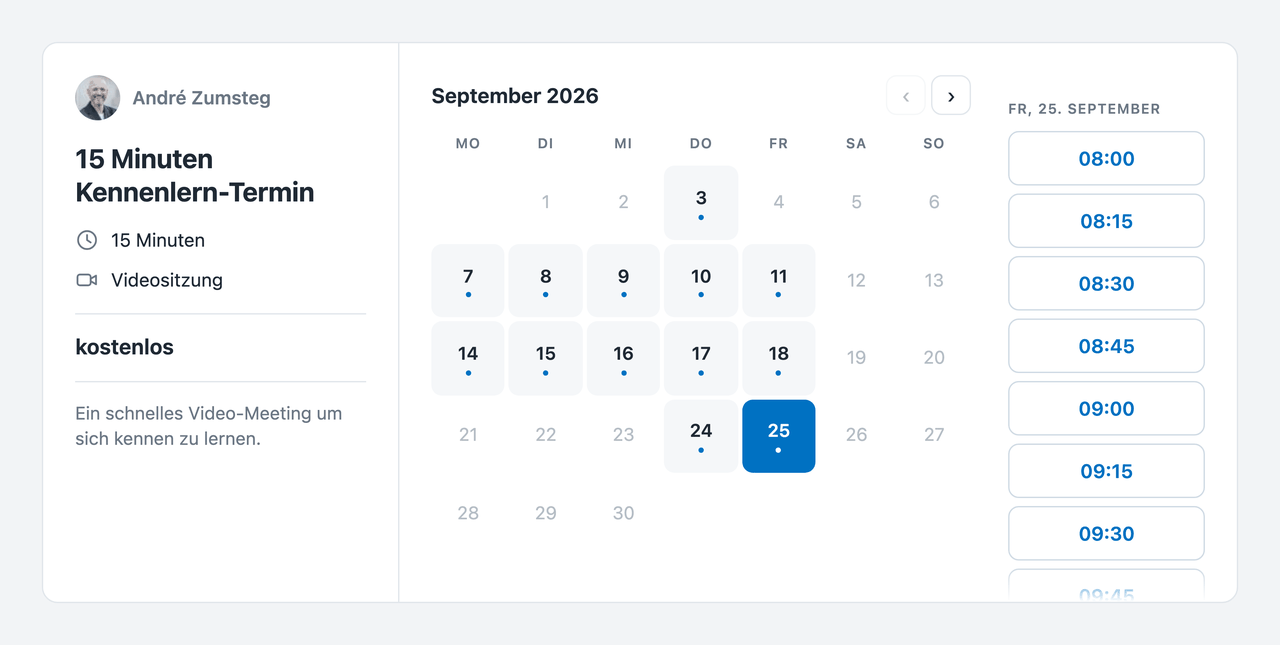
Yes, with a few lines. The form appears inside your page, adjusts its height by itself and gets by without a second scrollbar. The accent colour can be matched, and you decide whether one appointment type is shown or a choice from all published offerings.
Can customers cancel without an account?
Yes. The confirmation email contains a personal cancellation link; no customer account is needed for it.
Are video appointments prepared automatically?
For an appointment type set up as a video meeting, a kMeet room is created automatically through the Infomaniak account of the person responsible, and the link is in the confirmation. Creating and sending meeting links by hand falls away.
Where does the price of a paid appointment come from?
From Bexio. A paid appointment type can be linked to a Bexio article; if the price changes there, the slot finder shows the new one straight away. So your website, the booking form and the confirmation do not carry three different figures.
Can a customer pick a particular person?
Yes – or «Anyone», in which case the module assigns the booking to an available team member. Every team member decides which appointment types they take on and which calendar new bookings go into.
Turn appointment requests into bookings
Free your team from time-consuming scheduling and let your customers book simply, exactly when it suits them.